Private Series &
Contributor Flow
Create private bedtime story series for your family. Share them with loved ones. Let anyone you trust contribute their own episodes. Together, build a story collection that is truly yours.
Public vs Personal
You can now create two types of series on My Sleepy Tale:
🌍 Public Series
- Visible to everyone worldwide
- Admin review before publishing
- Listed in Search and Series tab
- Great for community stories
🔒 Personal Series
- Only you and shared people can see
- Published instantly, no review
- Perfect for family memories
- Shared users can contribute episodes
Think of it this way
A private series is a shared family journal in audio form. A grandmother in India starts a series about family traditions. A cousin in Canada adds an episode about their first snow day. A friend in the US contributes their favourite memory. Everyone listens at bedtime.
The Complete Flow
From Creation to Listening
Series
Sees Tab
Episode
Reviews
Listens
Step by Step
"Shared with me" on the Homepage
When someone shares a private series with you, a new "Shared with me" tab appears on your homepage, right next to Story and Series. You see the series title, creator's name, and all episode cards.
Shared User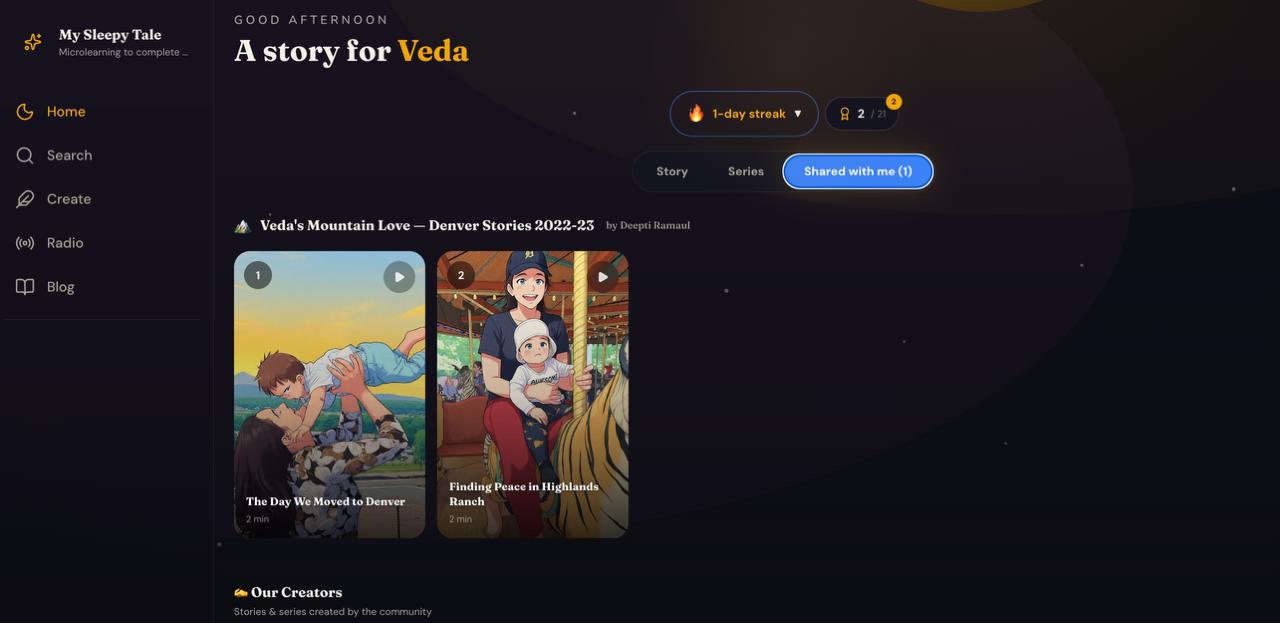
Open the Series & Contribute
Tap into the series to see all episodes. Below the episode cards, find the "+ Contribute an episode to this series" button. Write a title, story text (full story or quick bullet points), and upload multiple photos.
Contributor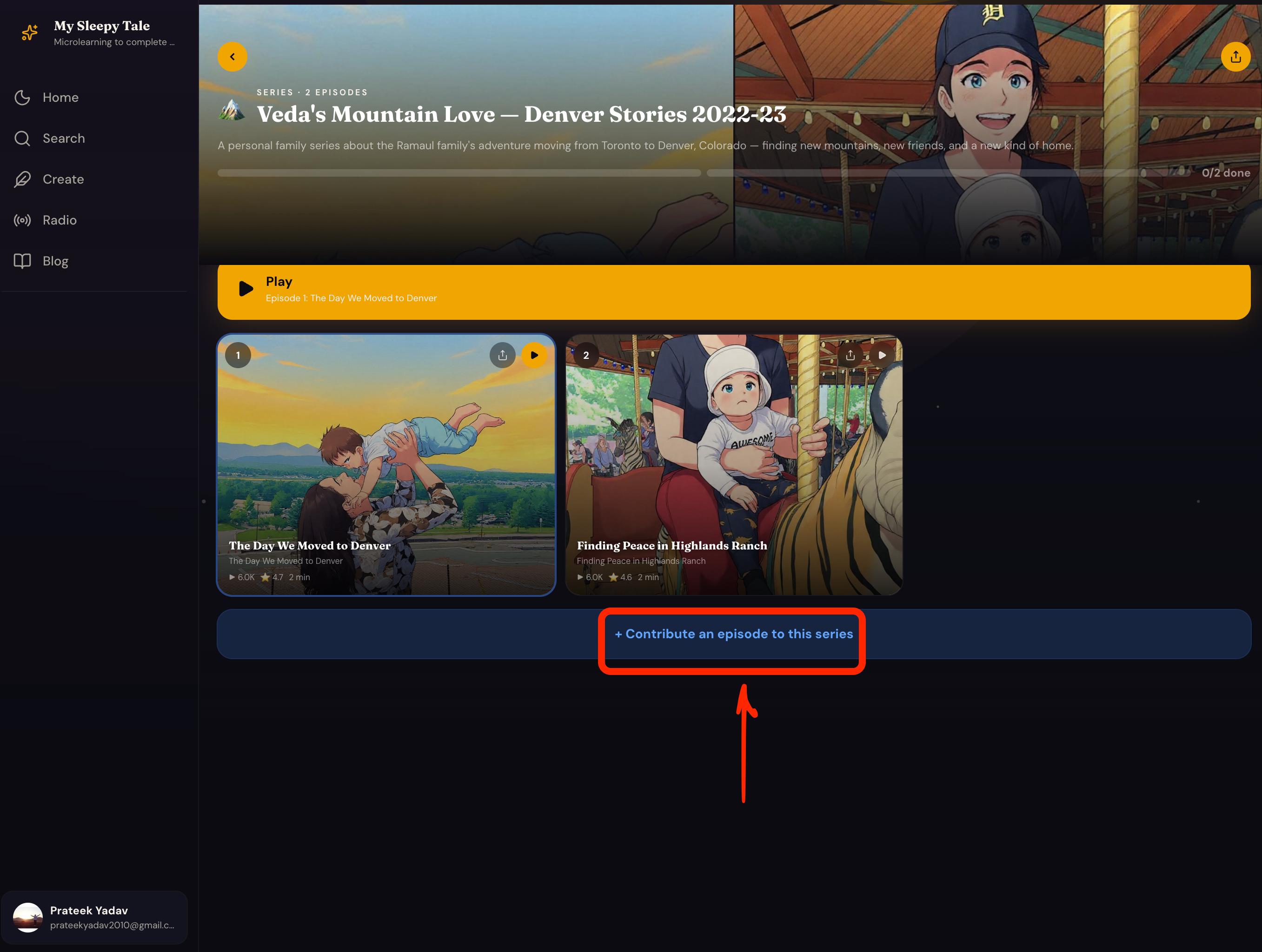
Submit for Review
Hit "Submit for review" and see a confirmation. The series owner will be notified and can review your submission.
Contributor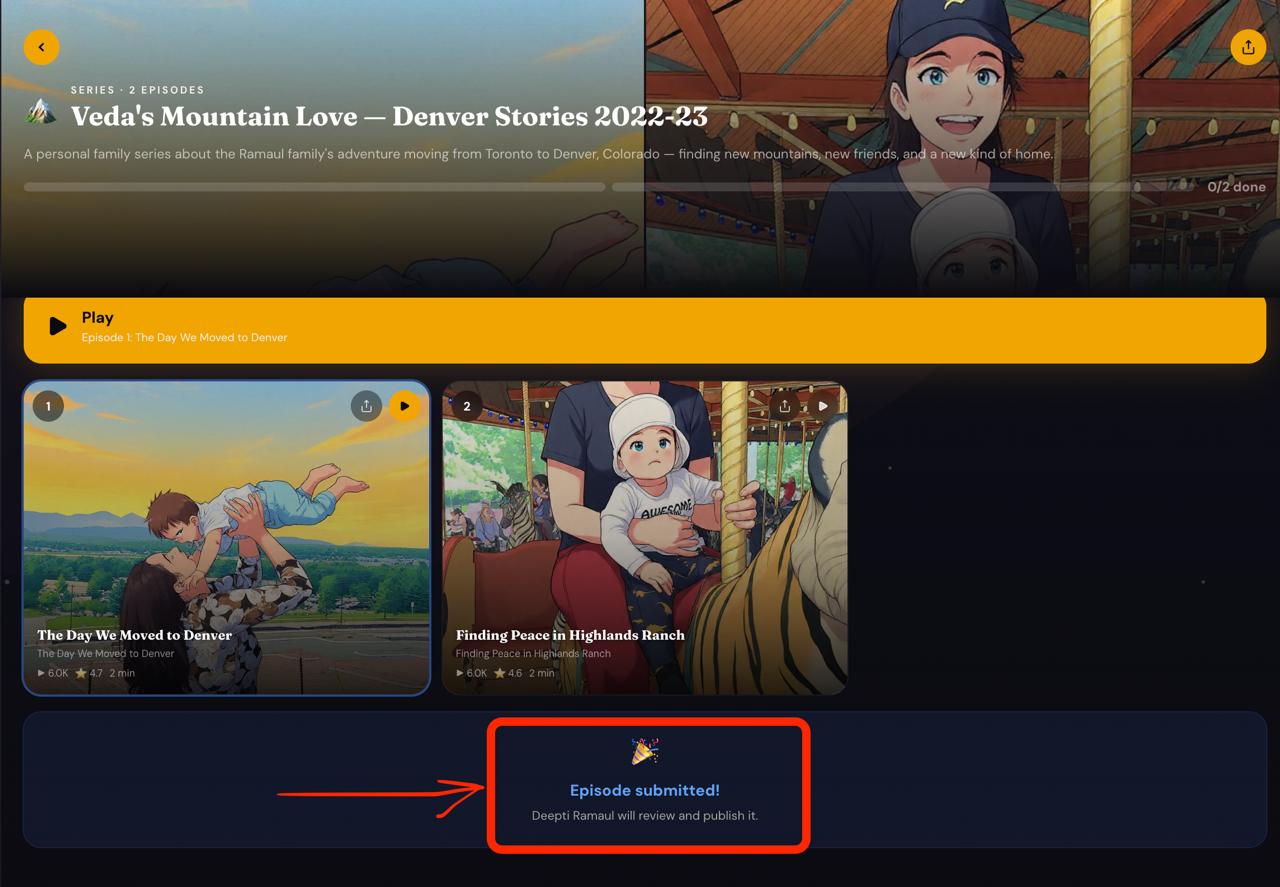
Owner Sees Pending Contributions
The owner opens their series and sees "Pending Contributions" — a greyed-out card with "PENDING" badge, contributor's name, word count, and date.
Series Owner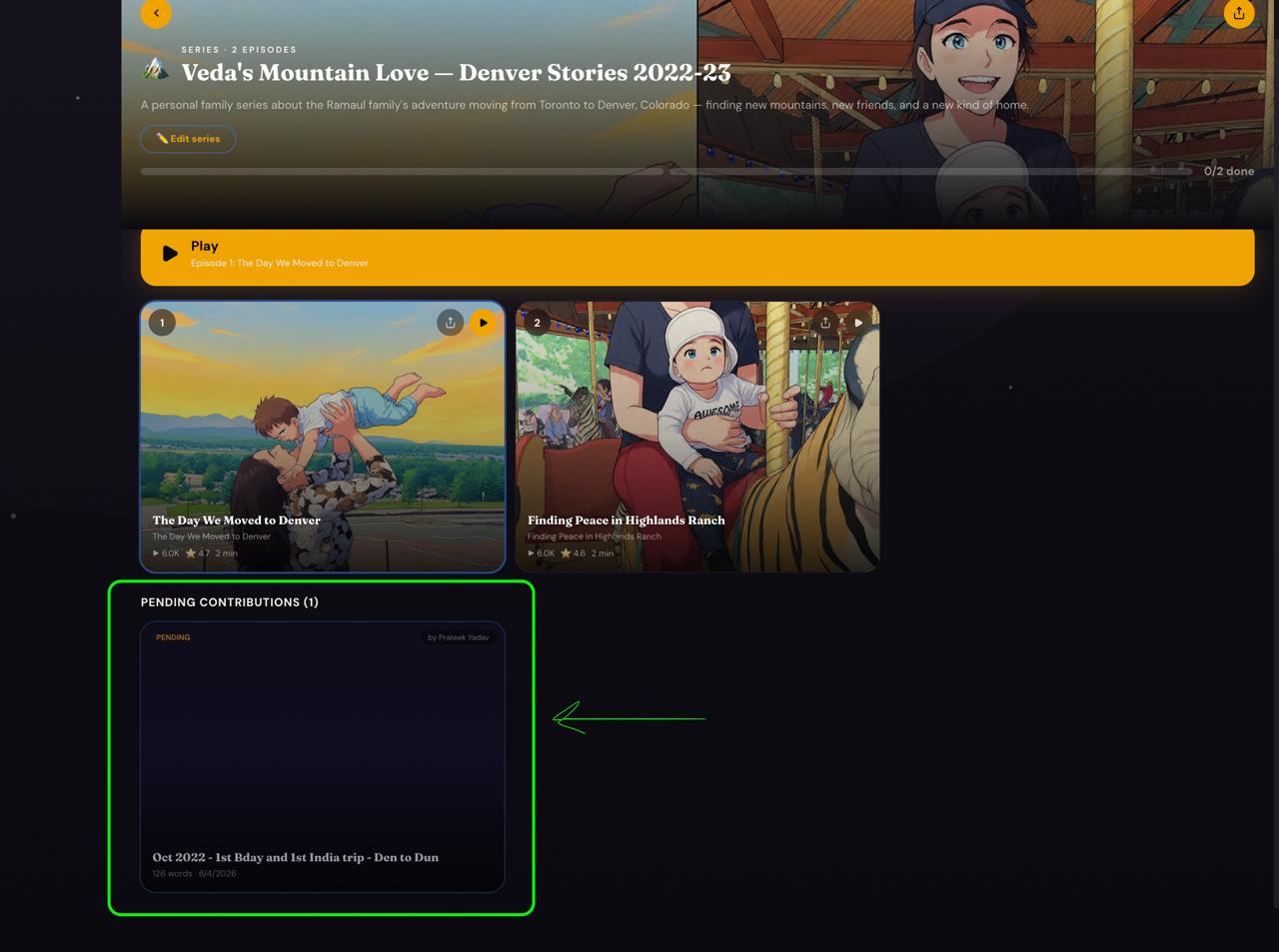
Review, Edit & Publish
The owner taps the pending card to open the review panel. They see submitted photos, the original text, and editable fields for title and body. Polish the story, then tap "Publish as Episode" or "Reject" with feedback.
Series Owner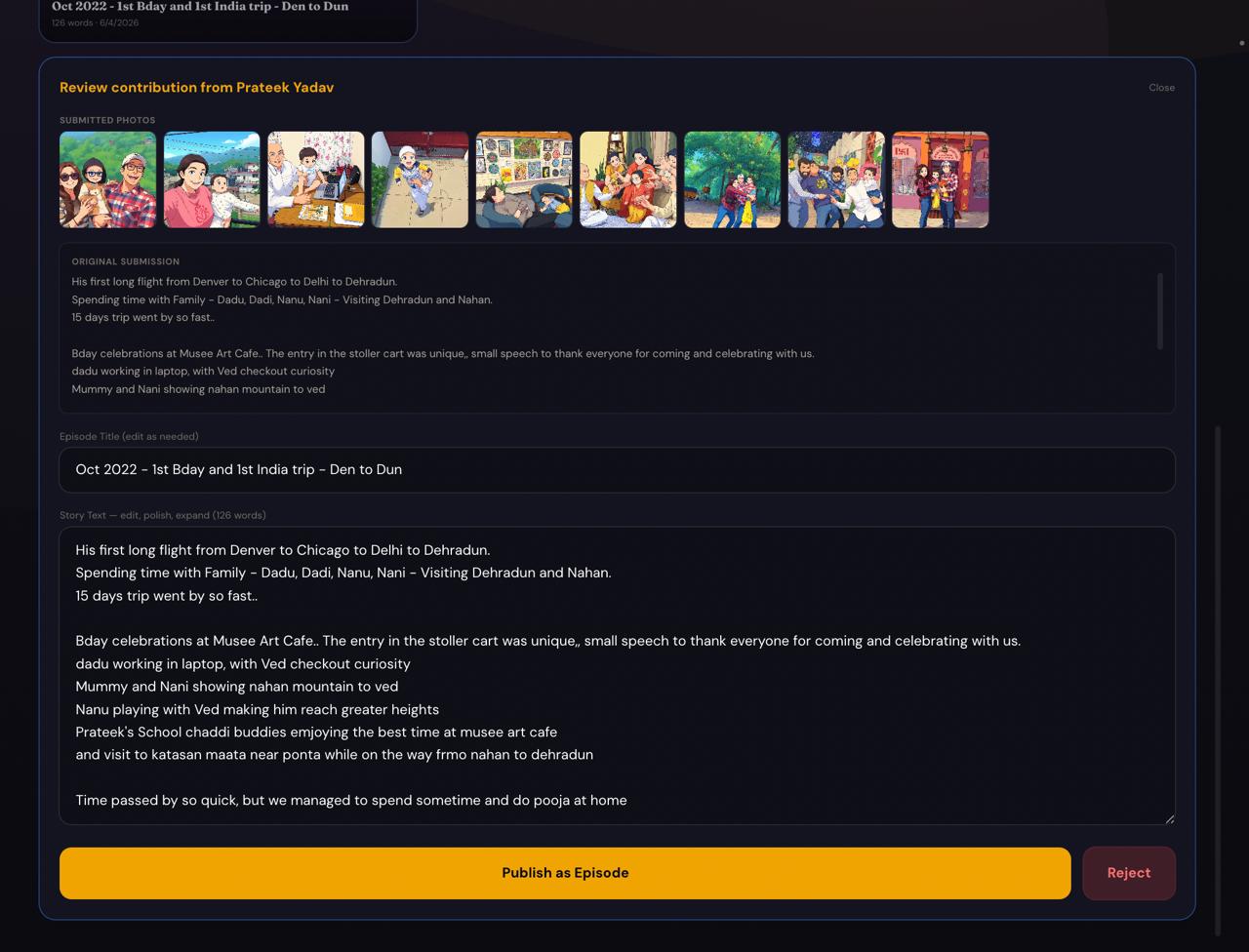
Published — Everyone Can Listen
The new episode appears alongside existing ones. The owner can further enhance it using Edit mode: upload more photos, edit text, and generate fresh AI audio narration — all in one tap.
Published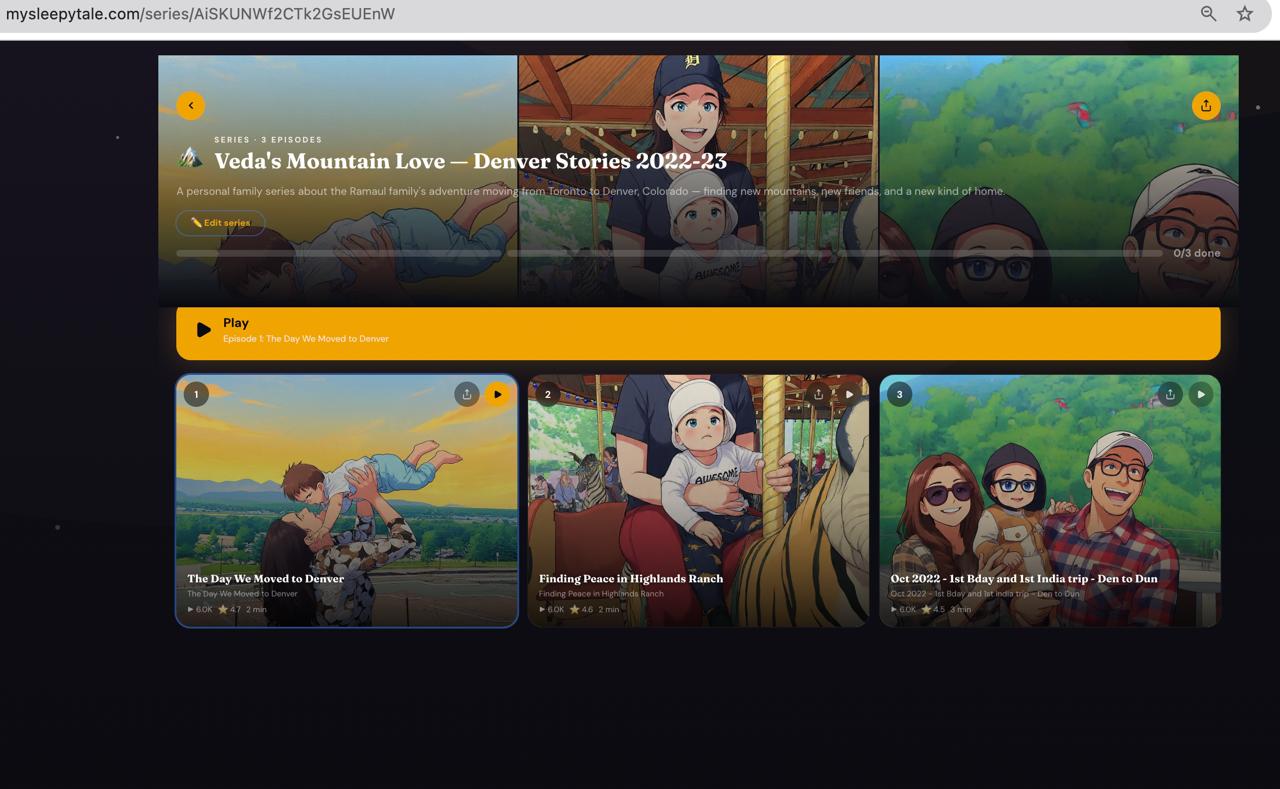
Two Roles, One Story
Series Owner
- Creates and names the series
- Adds the initial episodes
- Shares with people by email
- Reviews and edits contributions
- Uploads images, generates audio
- Full creative control
Contributor
- Sees series in "Shared with me"
- Listens to all published episodes
- Submits episodes (text + photos)
- Quick pointers or full stories
- Owner polishes before publishing
- No technical skills needed
Who Is This For?
Families
- Document family memories as bedtime stories
- Let grandparents, aunts, cousins contribute
- Create a private audio archive for your children
- Share across cities and countries
Friends & Communities
- Book clubs creating shared story collections
- Teachers building classroom story series
- Cultural groups preserving oral traditions
- Neighbours sharing local stories
Built with Love
This feature was born from a real conversation. Deepti Ramaul and Sravanthi Somalaraju came up with the idea of turning family memories into private bedtime stories that everyone could contribute to. Deepti created the first series — "Veda's Mountain Love — Denver Stories 2022-23". Sravanthi and Prateek tested the full flow end to end. Thank you both for believing in this idea.
Start Your Family Series
Create a private series, share it with your family, and build your bedtime story collection together. Free, private, and yours.
Create a Series →Free forever. No sign-up needed to listen.