How to Create, Submit,
and Publish Bedtime Stories
The definitive guide for content creators on My Sleepy Tale. Every step covered — from getting access to seeing your story narrated for families worldwide.
Who Can Create?
Creating stories for the community is not open to everyone. You need to be added as a content creator by an admin.
Admins
- Full access to everything
- Can write, review, publish, generate audio
- Current admins: Prat, Sahil, Deepti, Raksha
- Manage the entire content pipeline
Content Creators
- Team members with the "content" role
- Can write stories and create series
- Submit work for admin review
- Examples: Nikhil, Sravanthi
- This is the role you need
How to become an approved Creator
Becoming a Creator takes a quick, friendly review — this keeps My Sleepy Tale a safe, warm place for children. Here's the whole process:
- Create a free account. Sign in with Google on My Sleepy Tale.
- Request Creator access. Email us at hello@mysleepytale.com — or open the Creator tab in the app and tap "How to become a Creator" — and tell us a little about you and what you'd love to create. Grandparents, parents, teachers and storytellers are all welcome.
- We review your request. A member of our team reviews every request by hand (usually within a few days).
- You're approved. We switch on Creator access for your account. A new Creator section appears in your app — sign out and back in if you don't see it right away.
- Start creating. Open Creator Studio to write stories and publish episodes to your own series. You get your own creator page at
mysleepytale.com/creator/your-name. Everything you publish is reviewed by an admin before it goes live to families.
No full admin access needed — just the Creator role. Admins (currently Prat, Deepti, Raksha and the team) grant it from Admin → Creators.
What Can You Create?
Two formats. Two visibility modes. Pick what fits your story.
A Single Story
- One complete bedtime tale
- Teaches exactly ONE value
- 400-800 words (about 2-4 minutes narrated)
- One tradition (Hindu, Sikh, Muslim, Christian, Buddhist, etc.)
- Optional: upload a cover image
- Uses
{childName}for personalization - Ends with a gentle bedtime message
- Perfect for your first creation
A Series (Multiple Episodes)
- Same characters and theme across episodes
- Each episode is a standalone bedtime story
- Kids come back asking "what happens next?"
- Series title, description, tradition, theme
- Cover image per episode (optional)
- Add episodes one by one
- Two visibility modes (see below)
Public Series
- Submitted for admin review
- Published for everyone after approval
- Appears on the home page under its category
- Audio generated by admin via ElevenLabs
- Cover images generated via Gemini AI
- Shows on your creator profile page
Personal Series
- Instantly available — no review needed
- Only visible to you
- Share with specific people by entering their emails
- Greyed out for others on your profile
- Perfect for family stories or testing
- Can be made public later
The Complete Flow
Here is the exact workflow from start to finish. No shortcuts. This is how we keep quality high and kids safe.
From Your Idea to a Kid's Bedtime
Sign In
with Google
Go to
CREATE Tab
Write Story
or Series
Submit
Live for
Families!
Audio
Generated
Cover Art
Created
Admin
Reviews
Step-by-Step: The Full Journey
Sign In with Google
Sign in to My Sleepy Tale using your Google account. Make sure you are using the same Google account that the admin added to the team.
If you were just added as a content creator, sign out and sign back in so the role takes effect.
30 secondsListen to 2-3 Stories First
Before you write a single word, listen to at least 2-3 existing stories. This is the most important preparation you can do.
- • How every story uses
{childName}— when you hear "That night, Arjun, remember..." you understand the magic - • The length — stories are 2-4 minutes, not 20
- • The tone — warm, quiet, winding down. Not exciting. Not loud. These play at 8pm.
- • The ending — always a gentle moral, always addressed to the child
- • The language — soft, positive words. No "grabbed", "exploded", "smashed"
Open the CREATE Tab
Tap CREATE in the bottom navigation (second icon). You will see two sections:
AI Story Generator — at the top, for personal use (generates a quick story for your own child).
"Write for the Community" — below it, with two buttons:
- • "Write a Story" — opens the single story form
- • "Create a Series" — opens the multi-episode form with a visibility toggle (Public / Personal)
Not seeing "Write for the Community"? You need the content creator role. Ask an admin to add you as a team member with the "content" role. Then sign out and sign back in.
Your choiceWrite Your Story
Fill in every field carefully. Here is exactly what each field means:
- Title — Short, catchy. "The Monkey and the Crocodile" not "A story about a monkey who meets a crocodile in the river"
- Tradition — Hindu, Sikh, Muslim, Christian, Buddhist, Jewish, Indigenous, Filipino, or Universal. Pick one. Stories are filtered by this on the home page.
- Theme — Courage, Kindness, Honesty, Wisdom, Sharing, Patience, Humility, Forgiveness. Pick ONE clear value.
- Source — Where this story comes from. "Panchatantra folk tradition" or "Based on a real field trip" or "Family story from my grandmother"
- Story body — The full text. This is what gets narrated aloud. Write it exactly as you want it spoken. 400-800 words ideal.
The Magic Token: {childName}
This is the heart of My Sleepy Tale. When a family plays your story, {childName} is replaced with their child's real name. Every child hears a story made just for them.
Use it at least once. Use it in your bedtime ending. Use it when addressing the child directly.
Example: How to end every story
"That night, {childName}, remember the old tree in the park. How it stood through every storm — not because it was the tallest, but because its roots went deep. Your kindness is like those roots. It grows quietly, underground, where nobody sees. But one day, it holds up everything."
Upload Cover Image (Optional)
You can upload a cover image for your story or for each episode in a series. If you don't upload one, the admin team will generate AI cover art using Gemini. Images show on the story card, in the player, and in share previews.
For a Series: Add Episodes
Tap "Add Episode" to add more episodes. Each episode needs its own title and story text. Each can have its own cover image. Add them one by one.
Public vs Personal Toggle
When creating a series, you will see a visibility toggle:
- • Public — submitted for admin review. Published for everyone after approval.
- • Personal — instantly available. Only visible to you and people you share with (enter their emails). No review needed.
Submit
Hit the "Submit" button. What happens next depends on the visibility mode:
If Public:
Your story goes into Pending status — waiting for admin review. You can see it in your creations. Listeners cannot see it yet.
If Personal:
Your story is instantly available. No waiting. Share it with specific people by entering their email addresses. They will see it immediately.
Status: Pending (Public) or Live (Personal)Admin Reviews Your Work (Public Only)
An admin goes to Admin → Story Studio → Review & Publish tab. They expand your submission, read every episode, and review the content.
This is not automated — a real person reads your story. Here is what they check:
Content Policy Checklist
- ✓ Age-appropriate — safe for kids 3-12. No violence, fear, or adult themes
- ✓ One clear value — courage, kindness, honesty, etc. A lesson through story, not a lecture
- ✓ Cultural accuracy — names, places, customs correct for the tradition
- ✓ Writing quality — flows well when read aloud. No grammar issues. Natural dialogue
- ✓ Uses
{childName}— at least once, ideally in the bedtime ending - ✓ Bedtime tone — calming, winding down. Not exciting. No cliffhangers
- ✓ Soft language — no "grabbed", "exploded", "smashed". Positive, gentle words only
- ✓ Bedtime ending — ends with "That night, {childName}, remember..."
- ✓ Original work — retelling folk tales is fine, but no copy-paste from other sources
Admin Actions
After reading your story, the admin takes one of four actions:
- ✓ Publish — goes live for all users immediately
- 👍 Approve — approved, but admin will generate audio and images first before publishing
- ✏️ Request Edits — sends back to you with specific feedback
- ✗ Reject — declined, with a clear explanation why
Edits Requested (If Needed)
If something needs work, the admin sends specific, constructive feedback. Not "rejected" — but "here is how to make it better."
Real example of admin feedback:
"Beautiful story concept! Two suggestions: (1) Episode 2 ends too abruptly — the child is still awake. Add 2-3 sentences winding down: describe the night sky, the warm blanket, the soft sounds. (2) The moral in Episode 3 could be clearer — try ending with 'That night, {childName}, remember...' to tie the lesson to bedtime."
You edit your content, fix the feedback, and resubmit. It goes back to admin for re-review. Most stories need 0-1 rounds of edits.
Status: Needs EditsAudio and Art Generation
Once approved, the admin handles production:
- 🎧 Voice narration — admin generates audio via ElevenLabs in the Story Studio → Series tab. Premium voices narrate your story with warmth and natural tone, perfect for bedtime.
- 🖼️ Cover art — admin generates cover images via Gemini AI. Each story and episode gets a unique, beautiful illustration. If you uploaded your own images, admin reviews them for quality.
Published!
Your story goes LIVE. Here is everything that happens:
- 🏠 Appears on the Home page — under its tradition category, visible to all families
- 👤 Shows on your creator profile —
mysleepytale.com/creator/your-username - 🔗 Gets a shareable link — share on WhatsApp with cover image preview
- 🎧 Fully playable — any family can listen. The child hears their own name.
- 📺 Series episodes connected — "Play Next Episode" appears automatically
- ❤️ Likes counter — listeners can like your creator profile
Personal Stories
If you chose "Personal" when creating your series, the flow is simpler:
- • Instantly available after submission — no admin review, no waiting
- • Share with specific people — enter their email addresses and they can access your stories
- • Visible on your creator profile — but greyed out for people you haven't shared with
- • Clickable for shared users — full color, fully playable for the people you chose
- • Perfect for family stories, testing ideas, or stories meant for specific children
Your Creator Profile
Every content creator gets a public profile page.
- • Your URL:
mysleepytale.com/creator/your-username - • Published work — all your published series and stories shown in full color, clickable
- • Pending work — visible but greyed out (not yet clickable for visitors)
- • Personal work — greyed out for most visitors, clickable only for people you shared with
- • Likes counter — total likes from listeners
- • Stats — series count, episode count, story count
Status Badges Explained
Your story's status badge tells you exactly where it is in the workflow.
Story Writing Tips
Follow these guidelines and your story will sail through review.
- • Listen first. Play 2-3 existing stories before writing. Understand the tone, the length, the rhythm.
- • 400-800 words. That is 2-4 minutes when narrated. Kids fall asleep during the story, not after it. Shorter is almost always better.
- • Use
{childName}. This is the magic token. Every child hears their own name. Use it at least once, and always in the bedtime ending. - • Warm, quiet, winding down. These stories play at 8pm. Not exciting. Not loud. Think soft blankets, night skies, gentle breezes.
- • End with a moral addressed to the child. "That night, {childName}, remember..." is the pattern. Tie the lesson to bedtime.
- • Soft, positive language only. No "grabbed", "exploded", "smashed", "screamed". Use gentle alternatives. We review for this specifically.
- • One clear value per story. Kindness. Courage. Honesty. Patience. Not three values — just one, woven through the narrative.
- • Write it as spoken word. Your text is what gets narrated aloud. Read it out loud to yourself. Does it sound natural? That is the test.
Content Policy in Detail
These are not suggestions — they are requirements. Every public story must pass all of these:
What We Accept
- ✓ Stories from any tradition (Hindu, Sikh, Muslim, Christian, Buddhist, Jewish, Indigenous, Filipino, Universal, and more)
- ✓ Retellings of folk tales, scripture stories, family stories
- ✓ Stories based on real events (field trips, school concerts, family traditions)
- ✓ Animal characters, fantasy elements, gentle humor
- ✓ Stories that celebrate cultural differences without ranking them
- ✓ Original stories with a clear moral and bedtime tone
What We Reject
- ✗ Violence, weapons, fighting (even cartoon violence)
- ✗ Scary content — monsters, ghosts, threats, darkness-as-danger
- ✗ Harsh language — "grabbed", "exploded", "smashed", "screamed"
- ✗ One tradition being superior to another
- ✗ Plagiarized content from other sources
- ✗ Advertising, product placement, or external links
- ✗ Adult themes, innuendo, or content inappropriate for children
- ✗ Political content or propaganda
- ✗ Stories without a clear value or lesson
- ✗ Exciting, high-energy stories — these are bedtime stories, not adventure tales
Questions Answered
How do I become a content creator?
Ask an admin (Prat, Sahil, Deepti, or Raksha) to add you as a team member with the "content" role. Then sign out and sign back in. You will see the "Write for the Community" section in the CREATE tab.
Do I need admin access to write stories?
No. You only need the "content" role, which is a step below admin. You can write stories and create series, but you cannot review or publish other people's work.
Can any regular user create stories?
No. Story creation for the community requires being added as a content creator. Regular users can use the AI Story Generator to create personal stories for their own children, but those are not published to the platform.
How long should my story be?
400-800 words is ideal — about 2-4 minutes when narrated. Kids fall asleep during the story, not after it. Shorter is almost always better.
What is the difference between Public and Personal?
Public stories go through admin review and, once published, are visible to everyone. Personal stories are instantly available with no review, but only you and people you share with (by email) can see them.
Can I write about my own child's adventures?
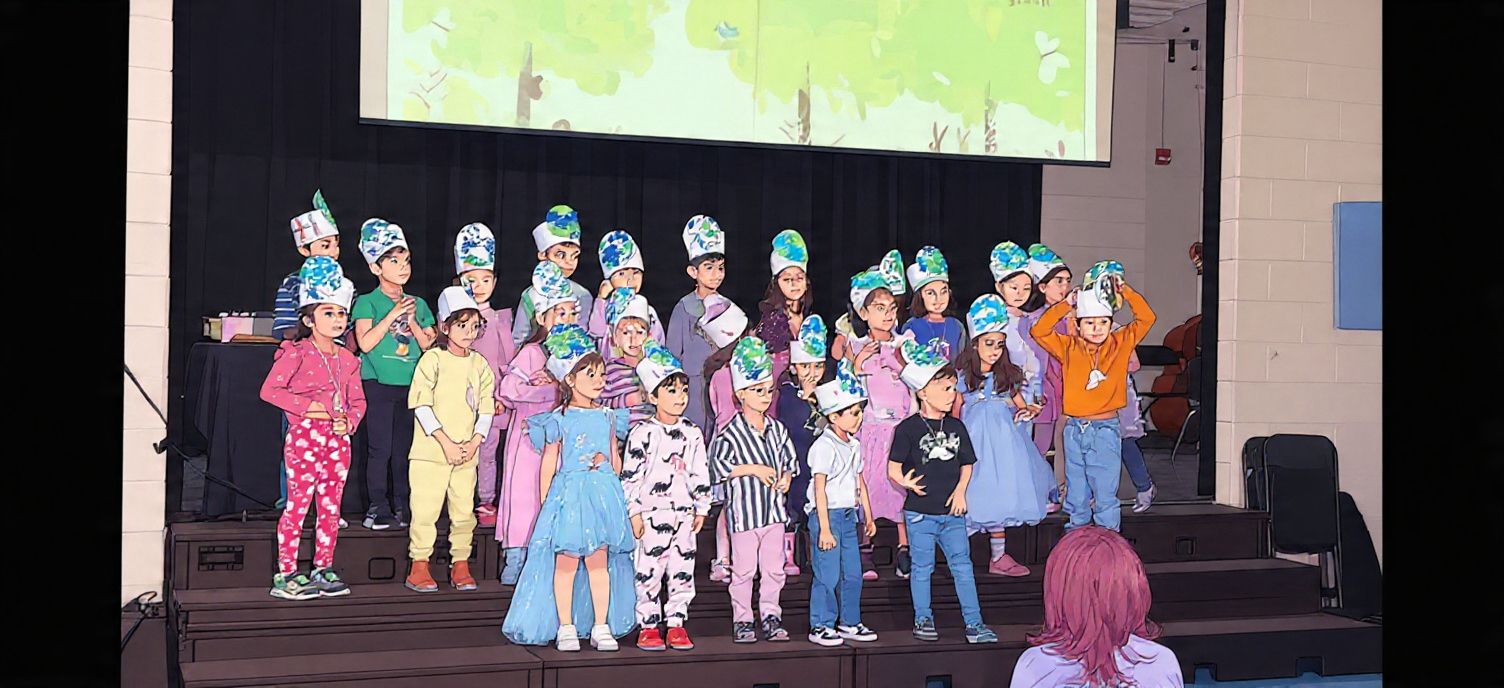
Absolutely! Our most popular series (Rainbow Kindergarten Adventures) is based on a real kindergarten class at Jean Lumb Public School in Toronto. Real adventures make the best bedtime stories.
What happens after admin approves my story?
The admin generates audio narration via ElevenLabs (in Story Studio, Series tab) and cover images via Gemini AI. Then they publish it. Your series appears on the home page under its category and on your creator profile.
How do I set my creator username?
ME tab → Edit Family → scroll to "Creator Username." Choose a unique name. This becomes your profile URL: mysleepytale.com/creator/your-username
Can I edit after publishing?
Contact the team and we will work with you to update. Changes go through review again to maintain quality.
Can I add more episodes to a published series?
Yes! Submit new episodes through the Creation tab. They go through the same review process and get added to your existing series.
Who can see my published stories?
Everyone. Logged-in users see them personalized with their child's name. Guests can listen too. Your public stories are available to all families.
Is there a limit on how many stories I can write?
No limit. Write 1 story or 100. The more you write, the more families you reach.
Ready to Create?
Ask an admin for content creator access. Listen to a few stories. Open the CREATE tab. Write yours. Your first story could reach hundreds of families by bedtime.
Open My Sleepy Tale →200+ stories. 20+ series. 20+ traditions. 9 languages.